Dealer Management
*Bug* When a dealer's email address changes in Dealer Management, the old address would still populate into the sent from on new emails sent from the system. This has been resolved.
Driver Scheduling
*NEW* Drivers now have the ability to change a welfare check to a repo if they are on site and determine that the building needs to be picked up. To do this, they can select the "Change to Repo" option within the delivery card. Once selected, the delivery will automatically update to a repo, and the driver can proceed to complete the repo as usual. This feature streamlines the process and ensures accurate handling of on-site situations. 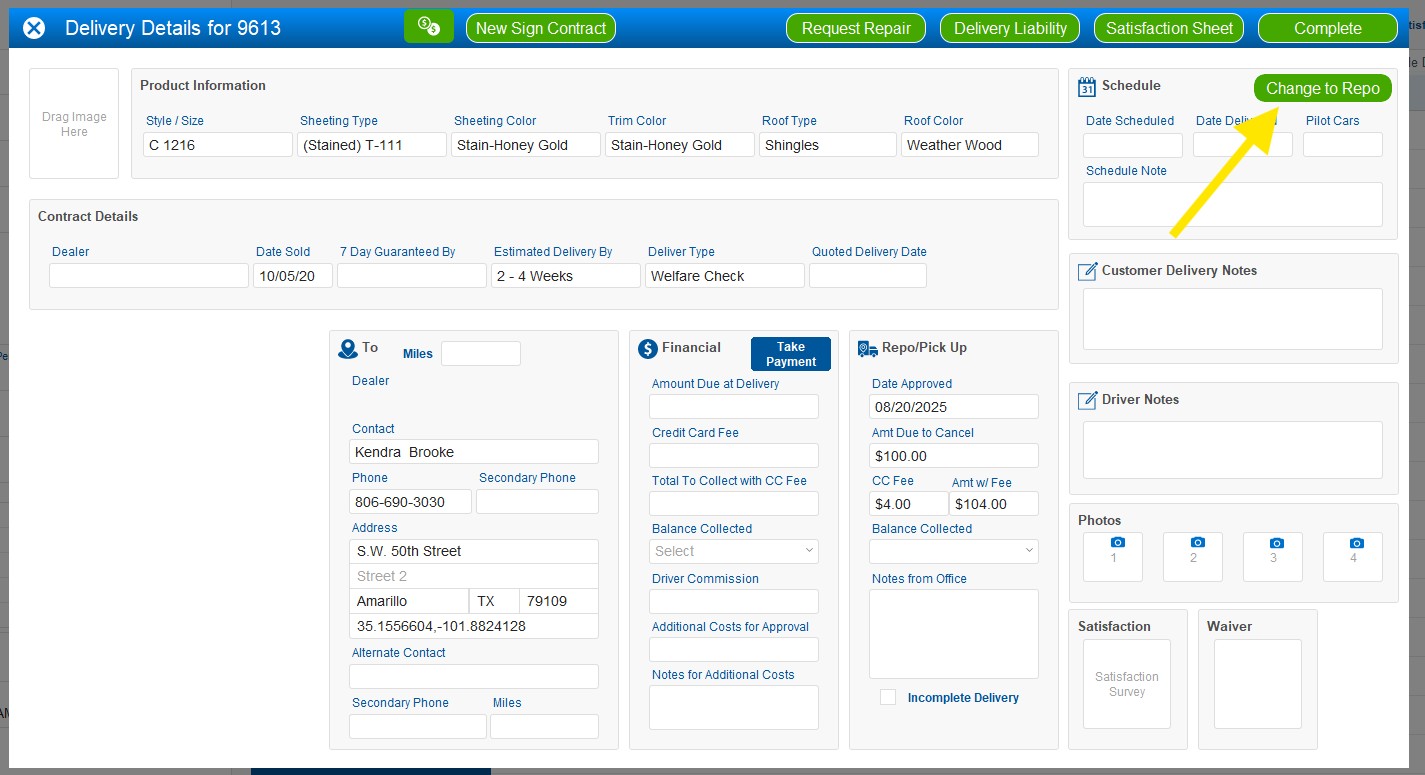
Pickups
1. *Fix* Previously, when any pickup type was cancelled, the "Cancelled By" field in the pickup portal did not display the name of the user who performed the cancellation. This issue has now been resolved, and the correct user information is now populating in the "Cancelled By" field as expected.
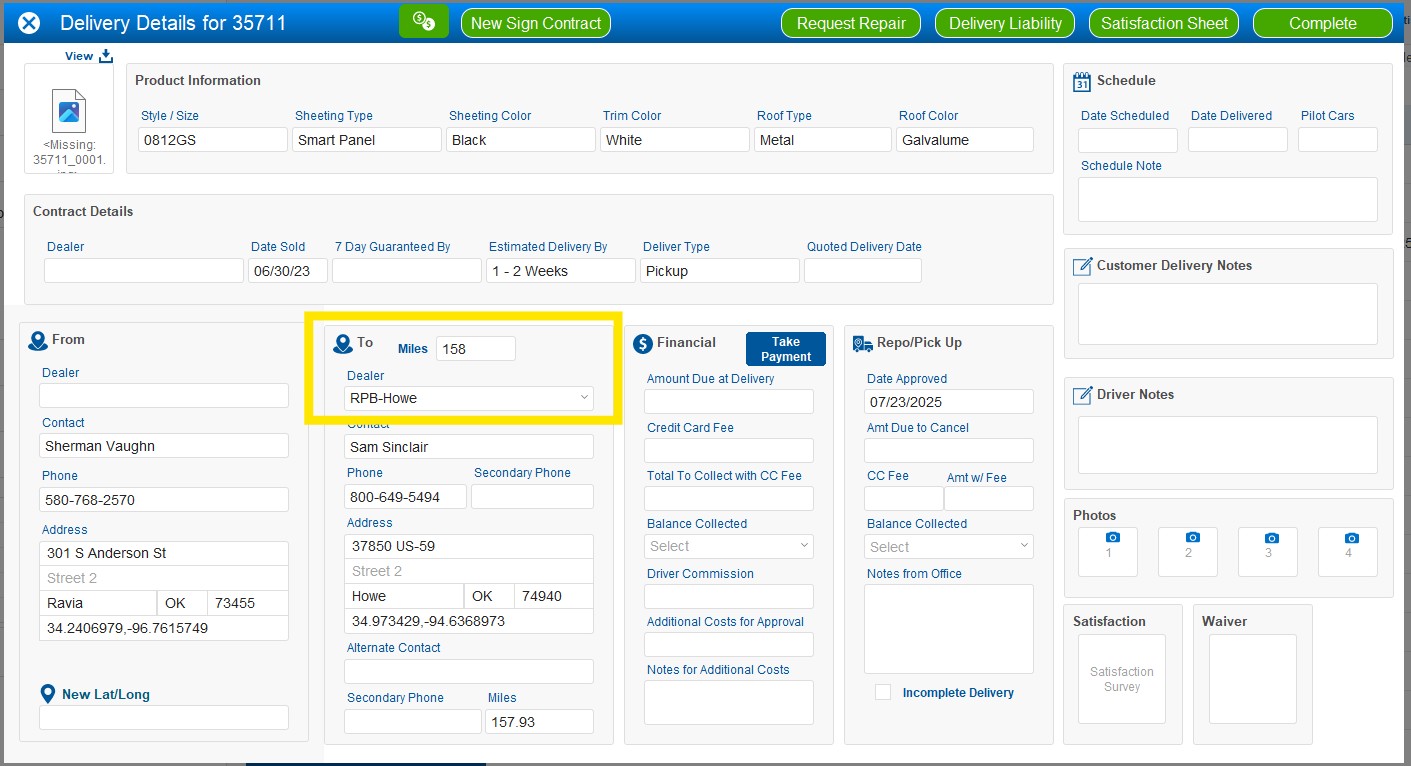
2. When requesting a new pickup, you can now change the dealer location where the product will be delivered. This dealer can also be updated by the driver at the time of delivery if needed. Additionally, the mileage for the pickup is now visible in the Pickup Portal. 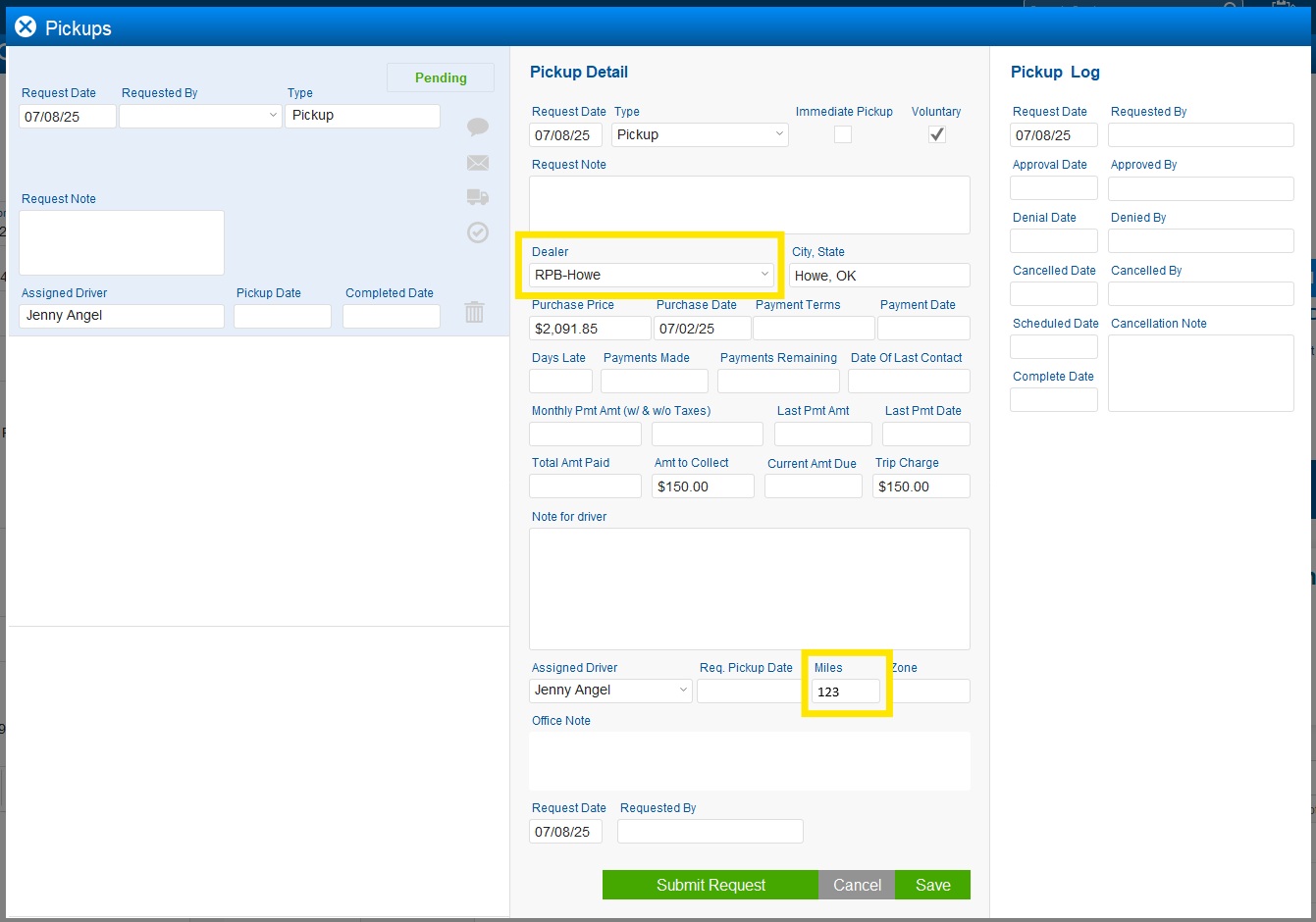
Repairs
*Fix* We have fixed an issue that previously allowed a repair to be completed without notes or photos. You are now required to fill in Driver Notes and add Repair Photos under Manage Repair before completing a repair.
Reports
*NEW* Inaccessible Deliveries Report: We now have a report available for all inaccessible deliveries. An inaccessible delivery refers to any delivery attempt that could not be completed due to barriers such as locked gate, pet issue, site/road wet conditions, or other access-related issues. The report can be filtered by specific inaccessibility reasons as well as by individual drivers.
Vendors
1.*Bug* There was a calculation issue previously that resulted in incorrect delivery counts being displayed under the delivery type. This issue has now been identified and corrected, and the delivery data is displaying accurately.
2. *NEW* You now have the ability to pay dispatcher commissions. A new checkbox has been added to the vendor profile, allowing you to designate a vendor as a dispatcher. Currently, only drivers can be assigned this role. Commission settings can be configured in the vendor’s preferences, where you can choose to pay a percentage, a fixed amount, or a combination of both.
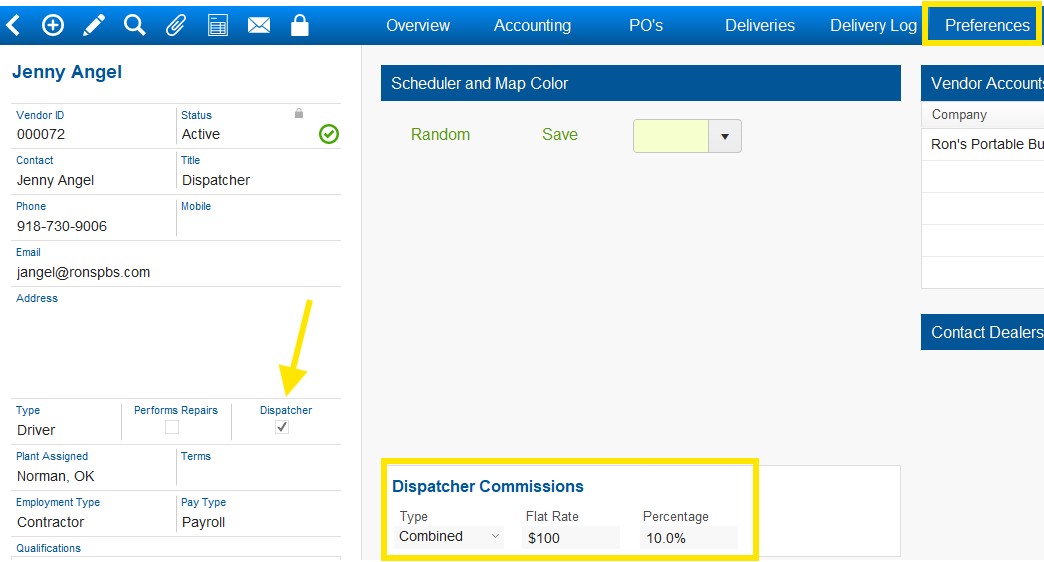
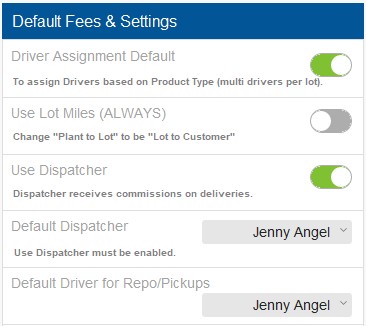
- To set up this new feature, go to Settings and toggle on the "Use Dispatcher" option. If you’d like a default dispatcher to auto-fill on all deliveries, you can select one from the dropdown menu. Only vendors with the dispatcher checkbox enabled will appear in this list. For more detailed training on setting up and using dispatcher commissions, we encourage you to attend Office Hours or reach out with any questions.

Version 25.11 | Beta Release: 08/27/2025 | Client Release: TBD
Was this article helpful?
That’s Great!
Thank you for your feedback
Sorry! We couldn't be helpful
Thank you for your feedback
Feedback sent
We appreciate your effort and will try to fix the article