Contracts
When filtering the contracts list, the icon that appeared on the far left was displaying incorrectly. This has been corrected, and the proper icon will now display on the filtered list.
Driver Scheduling
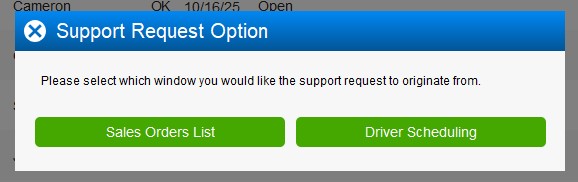
*FIX* A fix has been implemented to allow support tickets to be submitted directly from Driver Scheduling. When you have the Driver Scheduling screen open and need to submit a support ticket, the system will now prompt you to select which layout you’d like the ticket to be submitted from.
General
*FIX* A change has been made so that when a dealer or user is marked as inactive, their name will now be displayed instead of a number when they are associated with customers, sales, products, and other related records.
Pickups
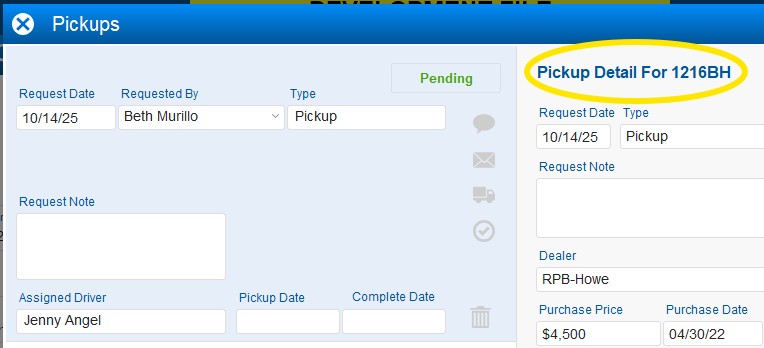
When viewing a pickup inside the Pickup Portal, the product name associated with that specific pickup type will now be displayed.
Products
A small bug has been fixed where clicking the camera icon to view product photos would incorrectly show the record as modified. This has been corrected—now, the record will only show as modified if a photo is actually changed or added.
Quotes
*Change* A small change has been made to how you view the discount available on a building. You now need to click on the yellow star instead of just hovering over it.
Reports
Sales Commission - Unpaid: An update has been made to the Sales Commission Unpaid Report, allowing it to be run based on different types. This enhancement provides more flexibility when generating the report, making it easier to view unpaid commissions by specific categories or criteria.

Settings
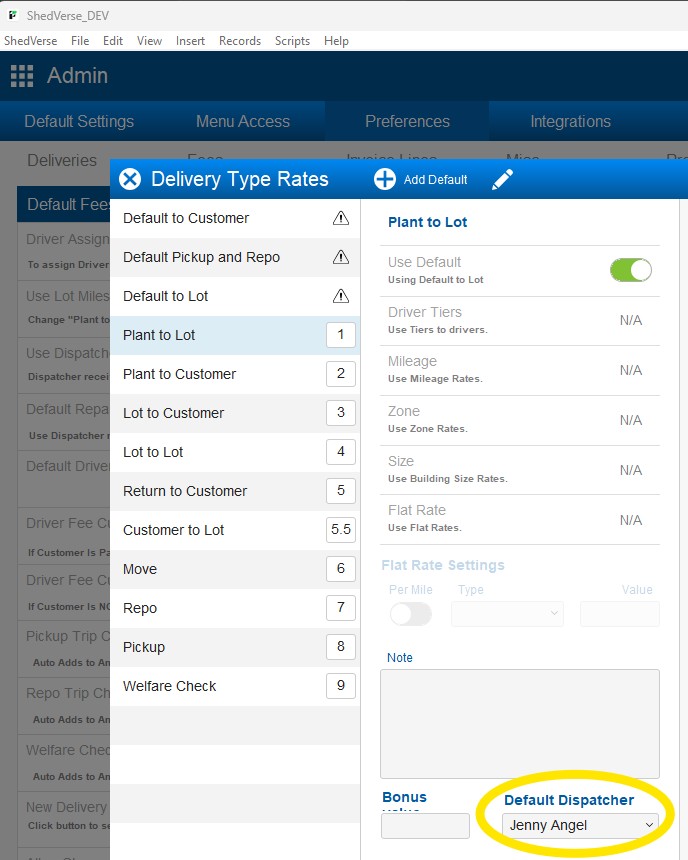
*Change* A change has been made to how you set up a default dispatcher. This setting has now moved inside Settings > Preferences > Delivery New and will be configured per delivery type. You will still need to toggle on the “Use Dispatcher” option for the setting to apply. Only vendors with the Dispatcher checkbox enabled will appear in the available list.
Vendors
1. *Change* The location of the Google Review button has been moved from within the Delivery Liability layout to the Satisfaction Sheet layout. The button’s function remains the same. 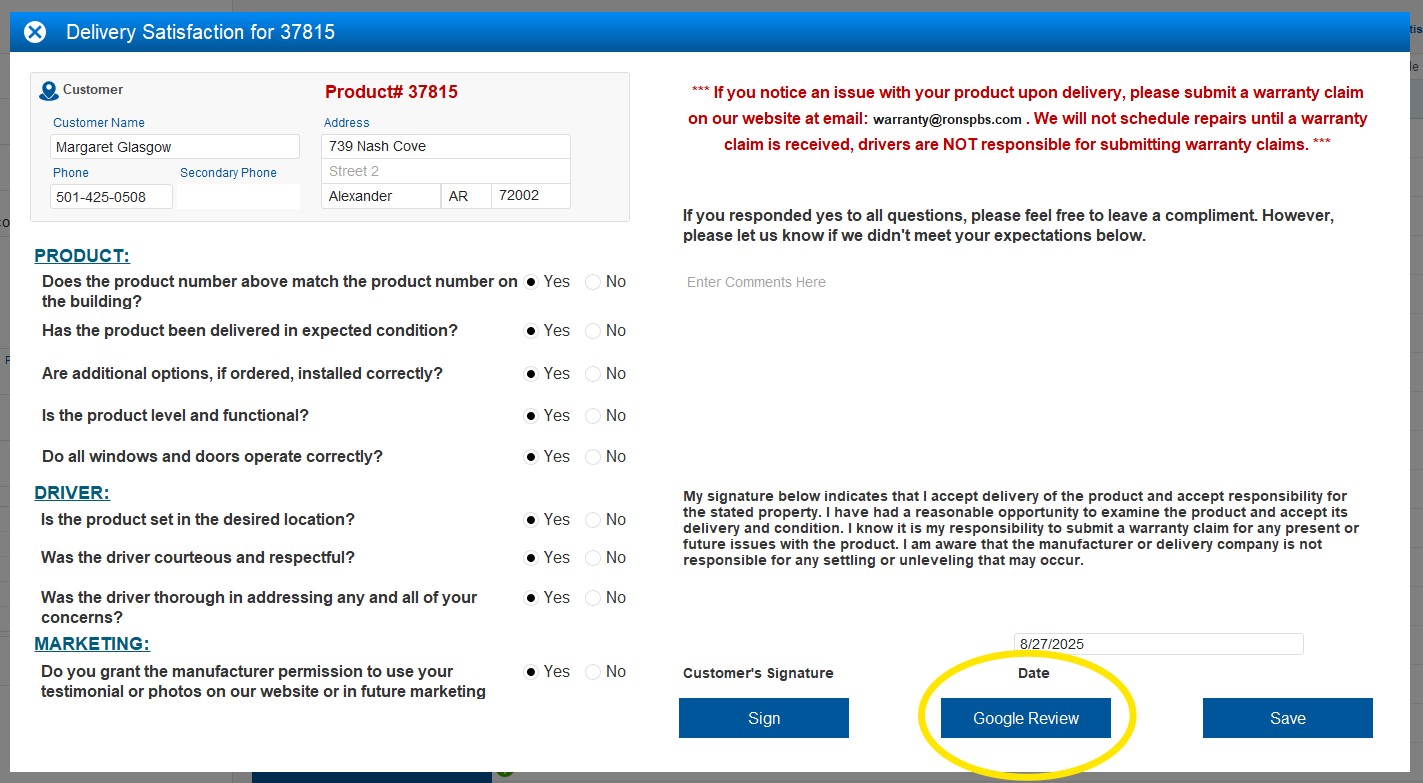
2. You can now sort Plant to Lot and Lot to Lot deliveries directly from the Vendor layout. Sorting options include City, State, Size, Starting Location, and Customer, allowing for easier organization and quicker access to specific delivery records. 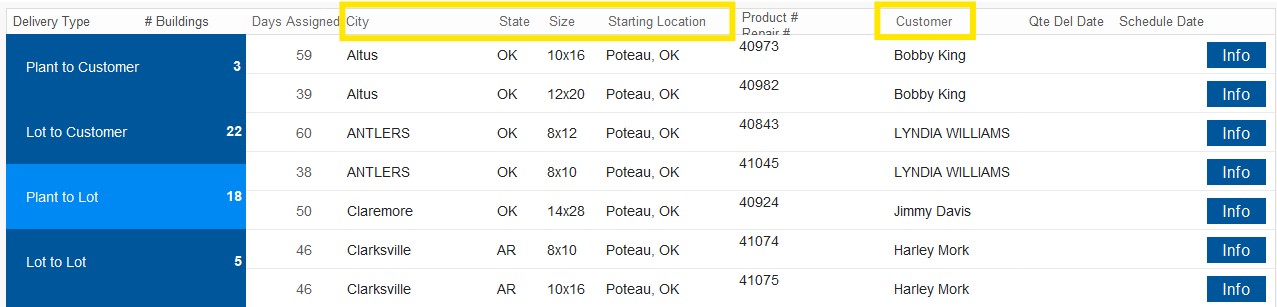
Version 25.14 | Beta Release: 11/3/2025 | Client Release: TBD
Was this article helpful?
That’s Great!
Thank you for your feedback
Sorry! We couldn't be helpful
Thank you for your feedback
Feedback sent
We appreciate your effort and will try to fix the article